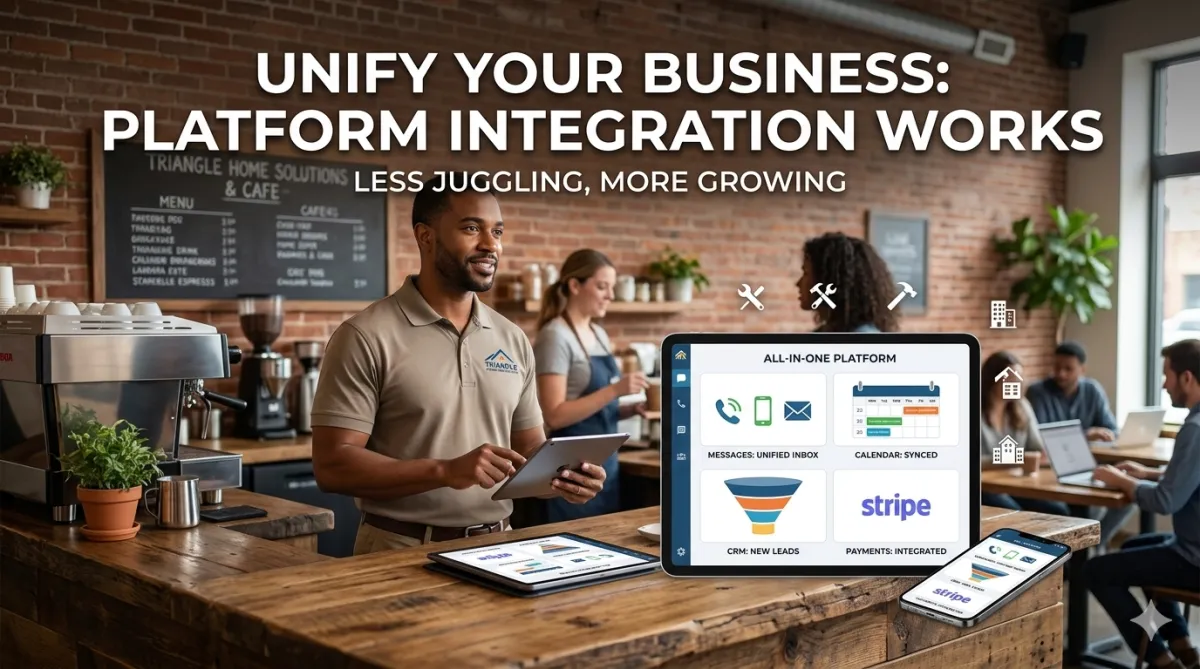
Why Platform Integration Matters More Than Ever for Growing Local Businesses
Picture this: You're a small business owner in Durham running a successful home services company.
You use one tool for scheduling appointments. Another for sending invoices. A different platform for email marketing. Yet another for managing customer data. A separate system for taking phone calls. And you're manually copying information between all of them.
Sound familiar?
If you're nodding your head, you're experiencing what we call "tool sprawl"—the exhausting reality of managing too many disconnected platforms that don't communicate with each other.
And it's costing you more than you realize.
The Hidden Cost of Disconnected Tools
Most small business owners underestimate how much time and money they lose to managing disconnected systems.
Let's break down what this actually costs:
Time waste from manual data entry. Every time you have to copy a customer's information from your scheduling tool to your CRM, from your CRM to your email platform, from your email platform to your invoicing system—that's billable time you're spending on administrative busywork.
Mistakes from human error. When you're manually transferring data, errors inevitably happen. Wrong email addresses. Transposed phone numbers. Missed appointments because reminders didn't go out. Each mistake costs you money and damages customer relationships.
Missed follow-up opportunities. When your tools don't talk to each other, leads fall through the cracks. Someone books a consultation but doesn't get added to your email nurture sequence. A customer completes a service but doesn't receive the follow-up survey that generates reviews and referrals.
Limited business intelligence. You can't see the complete customer journey when data lives in silos. How did they find you? What made them book? What's their lifetime value? Without integrated data, you're making decisions based on incomplete information.
Subscription fatigue. You're paying $20 here, $50 there, $100 for that other tool. Add it up and many businesses are spending $300-800/month on disconnected tools that create more work instead of less.
According to research from business automation experts, small businesses using 5+ disconnected tools spend an average of 10-15 hours per week on administrative tasks that integrated platforms could automate. That's 40-60 hours per month—essentially a full-time employee worth of time wasted on preventable busywork.
What Platform Integration Actually Means
Platform integration isn't just about tools connecting to each other. It's about creating a unified system where:
Data flows automatically. When a lead fills out a form on your website, their information populates your CRM, triggers an email sequence, schedules a follow-up task, and creates a customer record—all without you touching anything.
Actions cascade intelligently. When someone books an appointment, the system automatically sends confirmation, adds them to your calendar, sends reminders as the date approaches, follows up after the appointment, and requests a review—all programmatically.
Everything lives in one place. Instead of logging into seven different platforms throughout the day, you have a single dashboard showing customer conversations, scheduled appointments, marketing campaigns, and business analytics.
Context persists across channels. Whether a customer calls, texts, emails, or chats on your website, you see their complete history and previous conversations in one unified view.
Reporting aggregates across functions. You can see how many leads came from your latest marketing campaign, how many converted to appointments, how many became customers, and what the total revenue was—all in one report rather than piecing together data from multiple sources.
This integration eliminates busywork, reduces errors, improves customer experience, and gives you back hours every week.
The Rise of All-in-One Platforms for Local Businesses
Five years ago, truly integrated platforms for small businesses didn't really exist. You had to choose between expensive enterprise systems (designed for corporations with IT departments) or cobbling together multiple small business tools that barely connected.
That's changed dramatically.
Modern platforms like GoHighLevel were built specifically for local service businesses, combining:
CRM and contact management for organizing customer data
Marketing automation for email, SMS, and social media campaigns
Website and funnel builders for creating landing pages and lead capture
Appointment scheduling integrated with calendars
Communication tools for phone, SMS, and chat in unified inboxes
Workflow automation for triggering sequences based on customer actions
Reporting and analytics showing performance across all functions
Payment processing through integrations with Stripe and other processors
All of these capabilities exist within a single platform where data flows seamlessly between functions.
For local businesses, this represents a fundamental shift: enterprise-grade marketing and customer management capabilities at small business pricing (typically $100-500/month depending on features and scale).
Real-World Example: Before and After Integration
Let me show you what this looks like in practice with a real Triangle business example.
Before Integration (Traditional Setup):
A local real estate agent was using:
Zillow for lead generation ($200/month)
Mailchimp for email marketing ($50/month)
Calendly for appointment scheduling ($10/month)
Google Sheets for tracking leads (free but time-consuming)
iPhone for calls and texts (standard phone bill)
WordPress website ($30/month hosting)
Total cost: ~$290/month plus 12-15 hours/week of manual work
Typical workflow:
Lead comes in from Zillow
Manually add to Google Sheet
Manually create Mailchimp contact
Send personal email with Calendly link
When they book, manually add to calendar
Manually send confirmation and reminder texts
After showing, manually update Sheet and trigger follow-up email
Problems: High time burden, missed follow-ups, inconsistent communication, limited tracking of what actually worked.
After Integration (Unified Platform):
Moved to GoHighLevel with AI integration:
Leads from all sources auto-import to CRM
Automated email and SMS sequences trigger based on lead source and actions
AI voice agent handles initial calls, qualifies leads, books appointments
Calendar integration syncs with phone
Automated reminders via email and SMS
Post-appointment surveys auto-send
Complete funnel analytics show ROI by source
Total cost: ~$500/month for platform + AI services
Typical workflow:
Lead comes in from any source
System automatically qualifies, nurtures, and books appointment
AI handles calls when agent is busy
Automated sequences manage communication
Agent only touches high-value activities: showings, consultations, closings
Results: Despite higher monetary cost, the business owner reclaimed 12+ hours per week, closed 35% more deals (from better follow-up), and could actually take weekends off knowing the system continued working.
The ROI wasn't just in time saved—it was in revenue captured that was previously falling through the cracks.
Key Integrations That Matter Most for Local Businesses
If you're evaluating integrated platforms, these are the critical capabilities to prioritize:
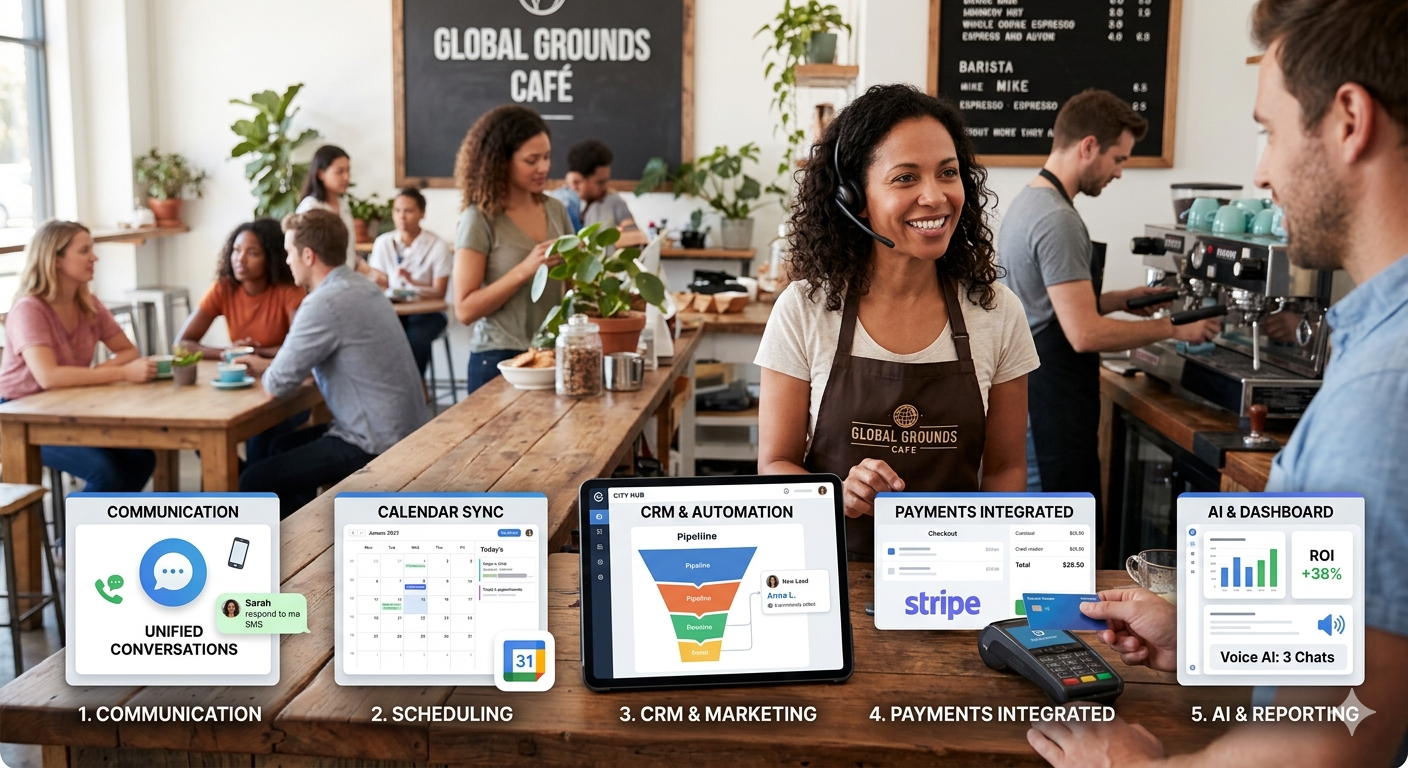
1. Communication Integration (Phone + SMS + Email + Chat)
All customer communication should flow into a unified inbox where you can see conversation history regardless of channel. A customer who called yesterday, texted this morning, and just sent an email should have one conversation thread—not three separate interactions.
Platforms integrating Twilio for communications provide this unified experience.
2. Calendar and Scheduling Integration
Appointment booking should automatically sync with your actual calendar (Google, Outlook, etc.) and trigger confirmation and reminder communications without manual intervention.
3. CRM and Marketing Automation Integration
When someone enters your system as a lead, your marketing automation should automatically begin nurturing them based on their source, interests, and behavior—no manual list management required.
4. Payment Processing Integration
Being able to collect payments, deposits, or retainers through the same platform that manages customer relationships eliminates reconciliation headaches. Stripe integration has become the standard here.
5. AI and Automation Integration
Modern platforms increasingly integrate conversational AI through providers like Vapi, enabling voice and chat agents that handle routine customer interactions while escalating complex issues to humans.
6. Reporting Integration
All marketing spend, lead generation, conversion rates, and revenue should roll up into unified reporting showing true ROI across all channels and campaigns.
The Strategic Questions to Ask Before Choosing a Platform
Not every integrated platform will fit every business. Here's how to evaluate what's right for you:
What's our biggest time drain right now? Choose platforms that automate your most painful administrative tasks first. If you spend hours scheduling appointments manually, prioritize scheduling integration. If follow-up is inconsistent, prioritize marketing automation.
What tools are we already using successfully? The best platforms integrate with tools you already rely on rather than forcing you to replace everything. Check integration capabilities before committing.
How technical is our team? Some platforms require significant setup and technical knowledge. Others are designed for non-technical users. Be honest about your comfort level with technology.
What's our growth trajectory? Choose platforms that scale with you. A tool perfect for 50 customers might break at 500. Understand pricing tiers and capabilities at different scale levels.
What level of support do we need? Some platforms offer dedicated account managers and extensive training. Others are primarily self-service. Match support levels to your needs and technical capability.
Can we test before fully committing? Good platforms offer trial periods or money-back guarantees. Don't commit without hands-on testing of the actual interface and workflows.
Common Integration Mistakes to Avoid
Having helped dozens of Triangle businesses implement integrated platforms, here are the most common mistakes:
Mistake #1: Trying to migrate everything at once. This overwhelms everyone and usually fails. Instead, migrate one function at a time, prove it works, then move the next piece.
Mistake #2: Not cleaning data before migration. Garbage in, garbage out. Take time to clean customer lists, remove duplicates, and organize data before importing into a new system.
Mistake #3: Choosing based on features rather than workflow. A platform with 100 features you'll never use isn't better than one with 20 features that perfectly match your actual needs.
Mistake #4: Skipping proper training. Platforms only deliver value if you actually use their capabilities. Invest in training yourself and your team properly.
Mistake #5: Over-automating too quickly. Start with simple automations, test them, refine them, then layer on complexity. Overly complex automation sequences often break or create poor customer experiences.
Mistake #6: Ignoring mobile experience. If you're frequently working from your phone (as most local business owners are), make sure the platform has excellent mobile apps.
The Competitive Advantage of Integration
Here's something most articles about business platforms miss: integration creates competitive advantages beyond just efficiency.
When your systems are integrated and automated:
You respond faster than competitors. AI agents answer calls immediately while competitors are at lunch. Automated follow-ups happen within minutes while competitors are driving between appointments.
You're more consistent. Every customer gets the same professional experience regardless of when they contact you or which team member they interact with.
You're more scalable. You can handle 2x the customer volume without hiring 2x the staff because automation handles routine work.
You're more intelligent. Integrated data shows you exactly which marketing generates the best customers, which services are most profitable, and where to focus growth efforts.
You look more professional. Automated confirmations, timely follow-ups, and professional communication create perception of a larger, more established business.
These advantages compound over time. The business using integrated automation pulls further ahead each month as they capture more opportunities and operate more efficiently.
Local Business Example: The HVAC Company Transformation
Let me share a specific Triangle example to make this concrete:
A local HVAC company was struggling with seasonal demand swings. They'd get slammed with calls during heat waves and cold snaps, couldn't answer them all, lost business to competitors, then had slow periods where technicians were idle.
They implemented an integrated platform with:
AI voice agent handling incoming calls 24/7
Automated appointment scheduling based on technician availability
SMS confirmations and reminders
Post-service review requests
Seasonal maintenance campaign automation
Integrated billing and payment
The results over 12 months:
Captured 40% more appointments during peak demand (calls that previously went to voicemail)
Reduced no-shows from 15% to 3% through automated reminders
Increased maintenance contract renewals from 60% to 85% through automated renewal campaigns
Smoothed seasonal demand by proactively booking maintenance during slow periods
Technicians spent 90% of time doing technical work instead of administrative tasks
The business didn't grow because they became better at HVAC work. They grew because they eliminated the operational friction that was limiting their capacity and losing them customers.
Making the Business Case for Integration Investment
If you need to justify the investment in an integrated platform (either to yourself, a business partner, or a spouse who handles the books), here's the framework:
Calculate current tool costs: Add up all your current software subscriptions. Many businesses discover they're already spending $200-400/month on disconnected tools.
Calculate time costs: Estimate hours spent on manual data entry, copying information between systems, and administrative busywork. Multiply by your hourly rate (what you could bill for that time). This is often worth $1,000-2,000/month.
Calculate opportunity costs: How many leads fall through the cracks? How many appointments aren't booked because you couldn't respond fast enough? Conservative estimate: 20-30% of potential revenue.
Compare to integrated platform cost: Comprehensive platforms typically run $300-800/month depending on features and scale. Add AI capabilities and you're looking at $500-1,200/month.
Calculate net benefit: Even if the platform costs MORE than your current tools, if it saves you 10+ hours per week and captures 20%+ more revenue, the ROI is massive.
For most local businesses, integrated platforms pay for themselves within 30-60 days through captured revenue and reclaimed time.
Your Integration Roadmap
If you're convinced that platform integration is worth pursuing, here's your implementation roadmap:
Month 1: Assessment and Selection
Audit current tools and costs
Identify biggest pain points
Research platforms designed for your industry
Request demos from top 2-3 options
Check references from similar businesses
Month 2: Initial Implementation
Choose platform and set up account
Migrate contact database (cleaned first)
Set up basic communication integrations
Train yourself and key team members
Test workflows with small customer segment
Month 3: Automation Development
Build core automated sequences (appointment reminders, follow-ups)
Integrate payment processing
Set up reporting dashboards
Migrate marketing campaigns
Test extensively before going fully live
Month 4: Full Migration and Optimization
Move all customers to new platform
Cancel or reduce old tool subscriptions
Monitor performance metrics
Refine automation based on results
Train entire team on new workflows
Month 5+: Advanced Capabilities
Layer in AI voice and chat agents
Build sophisticated nurture sequences
Create advanced reporting
Integrate additional channels
Continuously optimize based on data
This gradual approach prevents overwhelm while building confidence in the system.

The Future of Local Business Operations
The trend toward integrated platforms isn't slowing—it's accelerating.
Five years from now, running a local service business on disconnected tools will be like running a business without a website in 2015—technically possible but competitively disadvantageous.
The businesses winning in local markets will be those that:
Implement integrated systems that automate routine work
Respond to customer inquiries faster and more consistently
Use data to make intelligent business decisions
Scale operations without proportionally scaling overhead
Deliver professional experiences that build trust and loyalty
The question isn't whether to integrate your business platforms. The question is how quickly you'll do it and how strategic you'll be in the implementation.
The opportunity window is now. Your competitors are either already implementing these systems or will be soon. Make sure you're ahead of that curve rather than behind it.
Ready to integrate your Triangle business's marketing and operations platforms? Wespor Business specializes in helping local service providers implement integrated marketing systems—combining GoHighLevel automation, AI-powered voice and chat agents, direct mail campaigns, and payment processing into unified platforms that work while you focus on serving customers. Visit wesporbusiness.com or call (984) 217-4555 to learn how platform integration can transform your business operations.


